How to Install SpeakBase on Any Device, Including Desktop
A full install guide with screenshots: SpeakBase on your home screen on iPhone, Android and desktop, in one tap and with no app store.
An AI speaking app that runs on every device
Most leading AI speaking apps ship only through the mobile app stores. SpeakBase is built differently: it runs on any device with a browser, including desktops and laptops, and installs to your home screen without going through an app store at all. Same account, same Kate, same progress, everywhere.
Installing takes under half a minute. Afterwards SpeakBase opens with one tap like any app, full screen, and your daily practice reminders reach the device directly.
Install on iPhone (Safari)
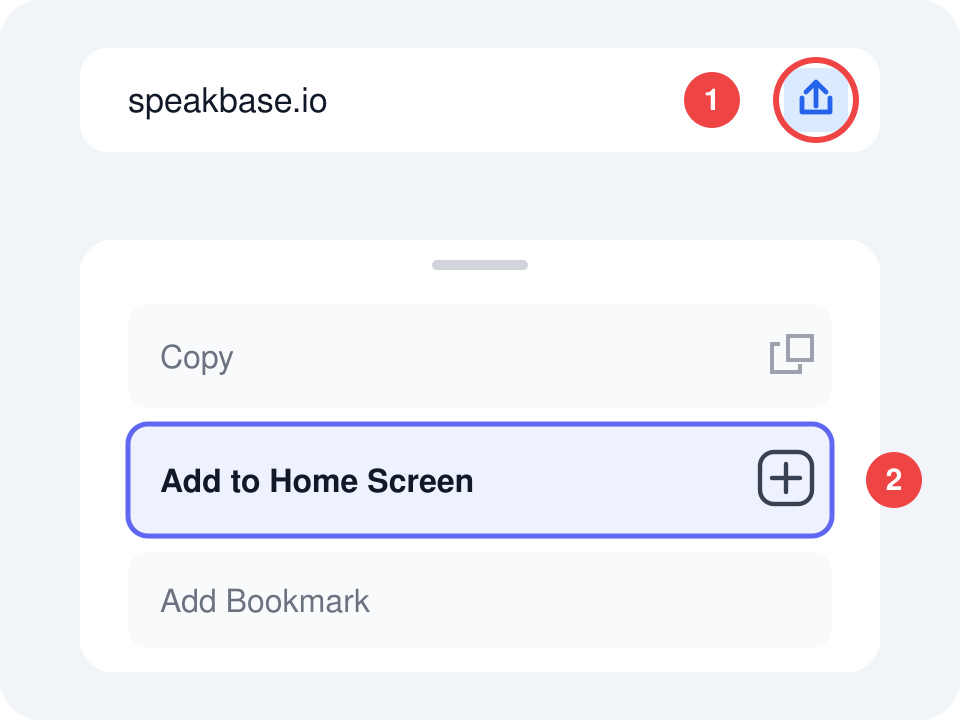
Open speakbase.io in Safari, tap the Share button (the square with the up arrow), and choose "Add to Home Screen". That's it: the SpeakBase icon is waiting on your home screen.
Install on Android (Chrome)
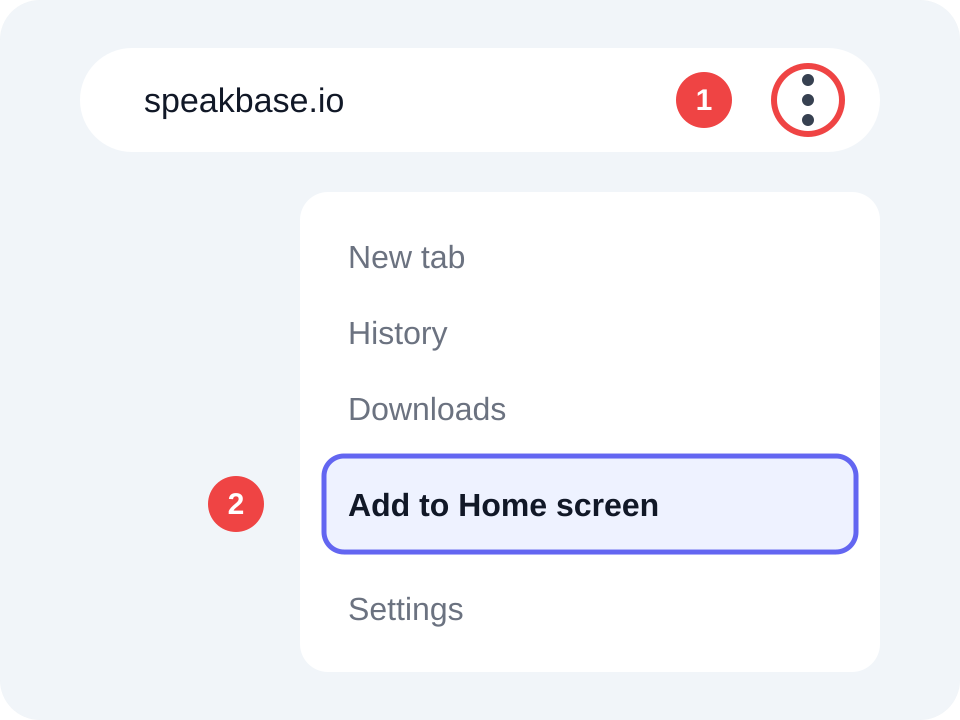
Open speakbase.io in Chrome, tap the three dots at the top, and choose "Add to Home screen" or "Install app". Android adds SpeakBase to your home screen and app drawer.
Install on desktop (Chrome / Edge)
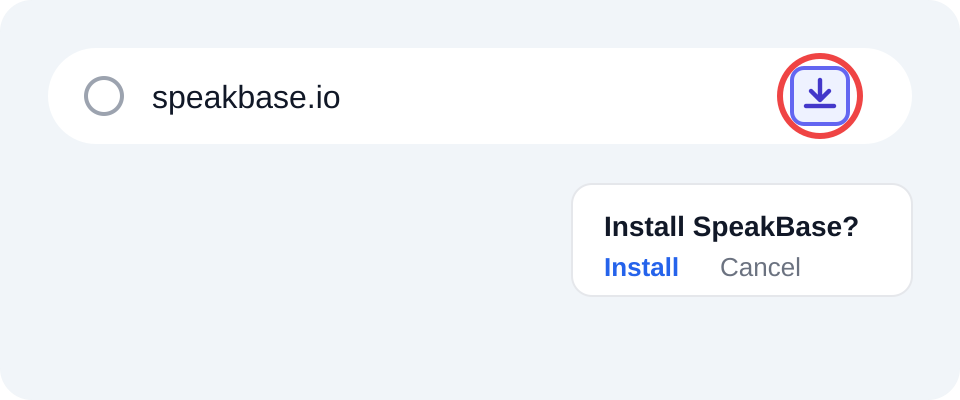
Open speakbase.io in Chrome or Edge and click the install icon that appears in the address bar, or "Install SpeakBase" in the app's side menu. SpeakBase opens in its own window, no browser bars, like any desktop program. A speaking lesson with a proper microphone and a big screen is the most comfortable way to practice at home or at work.
What you get after installing
One-tap opening from your home screen, full screen with no address bar, and practice reminders that reach the device directly. Nothing is lost from the browser version: it is exactly the same SpeakBase, just closer.
Haven't started yet? Your first trial lesson with Kate is free, including real-time corrections and a level estimate.
Frequently Asked Questions
Does installing take up storage?
Almost none. SpeakBase installs as a web app, so it weighs a few megabytes, unlike store apps that take hundreds.
Does installing cost anything?
No. Installing is completely free, and everything that is free in the browser stays free in the installed app.
Does the app update itself?
Yes. Every launch loads the newest version automatically, with no manual store updates.
Can I talk with Kate offline?
No. Conversations with Kate happen in real time with the AI tutor, so an active internet connection is required.
Ready to Start Learning?
Join SpeakBase for free and discover why thousands of students and teachers choose us.
Sign Up Free